
Provide funding instructions
Use Funding instructions to allocate an incoming bulk funding payment across one or more Vitesse accounts.
Vitesse processes the funding instructions after receiving a bank transfer with the matching payment reference. We send a confirmation email when processing is complete.
Get Started
-
On the Funding instructions page, select Provide funding instructions.
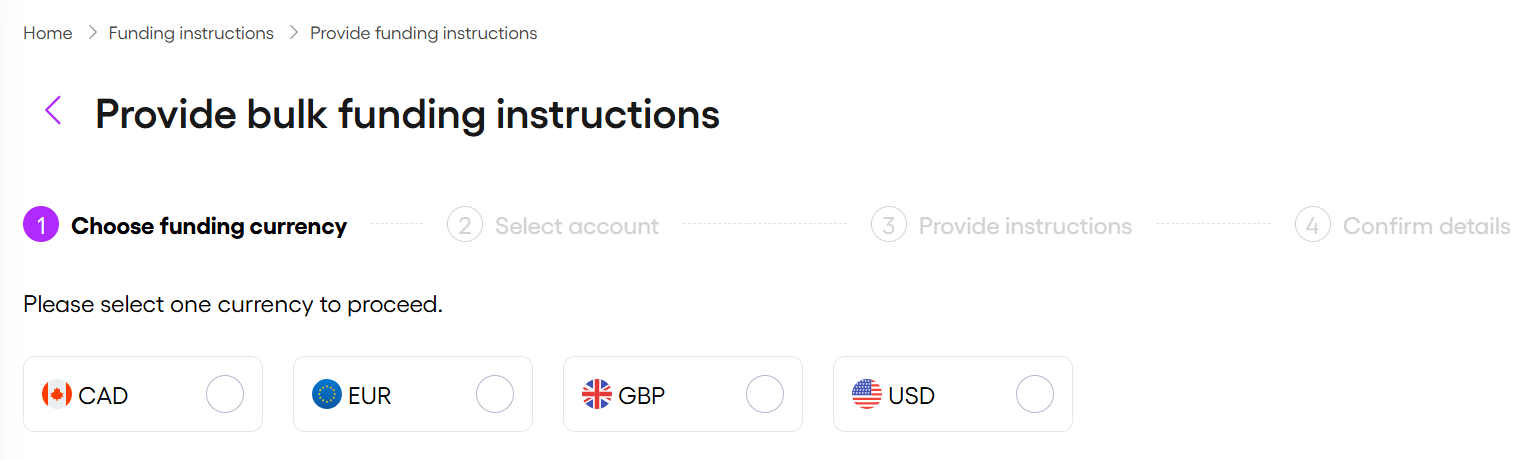
Creating funding instructions involves multiple steps. You can return to any completed step using the navigation at the top of the screen.
Choose funding currency
- Select the currency that matches the incoming bank transfer currency.
- Select Next.
Select account
- Select all the Vitesse accounts you want to fund.
- Select Next.
Provide instructions
The Total payment and overall Payment Reference must exactly match the incoming bank transfer. This ensures the instructions are linked to the correct payment.
Each line item becomes a separate funding instruction with its own payment reference for tracking and reconciliation.
-
Enter the Total payment used for the bank transfer.
-
Enter the Payment Reference used for the bank transfer.
-
Enter the amount you want to fund per selected account. You can do this in two ways:
Single entry
Enter the funding amount next to each account.
For each entry, enter a payment reference.Split entry
Select Split to allocate multiple funding amounts to the same account.
For each split:- Enter the amount
- Enter a payment reference
References should describe the purpose of each funding allocation.
-
Select Add payment to include additional lines.
The total amount for the account is automatically calculated from the split amounts.
-
Select Add an account to include additional accounts for the selected currency.
This option is unavailable after you've selected all accounts in the chosen currency.
-
If required, select
 to remove the payment or account.
 -
Confirm that the Total allocation equals Total payment (bottom left).
-
Select Next to continue.
Confirm details
Review the funding instructions before submitting them for processing.
- Review your full instructions.
- If required, select Back to make changes.
- Select Confirm & Submit to submit the funding instructions to Vitesse.
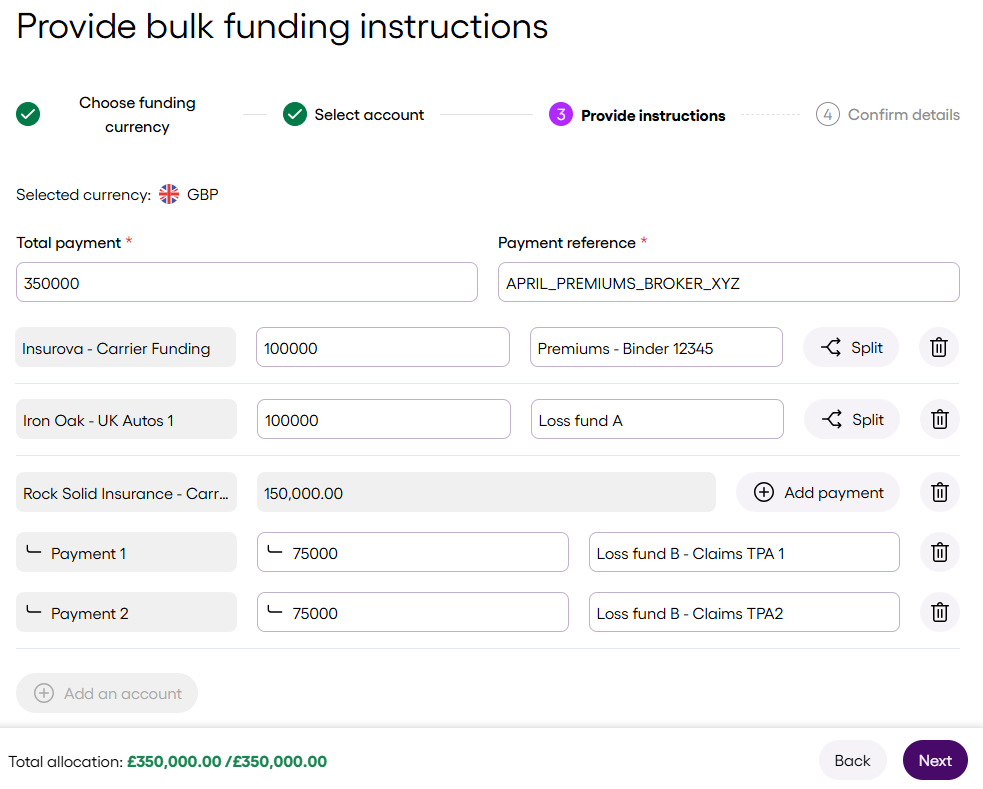
Funding instruction example
In the following example, APRIL_PREMIUMS_BROKER_XYZ describes the bank transfer reference for the total payment.
The funding instructions may also include the following references for funding selected accounts:
Premiums - Binder 12345Loss fund ALoss fund B
Loss fund B is further split into:
Loss fund B - Claims TPA 1Loss fund B - Claims TPA 2
Updated 3 days ago