
Integrating with the .NET SDK
The .NET SDK is available as a NuGet package and allows you to easily call our API. The SDK consists of clients that represent a specific endpoint of the API. More information can be found in the API reference area. The clients available are:
- Account API Client
- Account Movements API Client
- Deferred Transaction API Client
- Forex API Client
- Immediate Transaction API Client
- Rules API Client
- Stored Recipient API Client
- Transaction Query API Client
1. Download and Install the SDK
To install the SDK as a NuGet package you can use the following link:
https://github.com/orgs/VitessePSP/packages/nuget/package/VitesseSDK
Please note you will need a GitHub account to pull the feed, even though the package is public.
1.1 Option 1: Command Line
In Visual Studio navigate to Tools -> Command Line -> Developer Command Prompt.
A new window will open; type in the following command, making sure to check https://github.com/orgs/VitessePSP/packages/nuget/package/VitesseSDK for the latest version and amending the version number as necessary:
dotnet add package VitesseSDK --version 2.6.01.2 Option 2: Package Manager UI
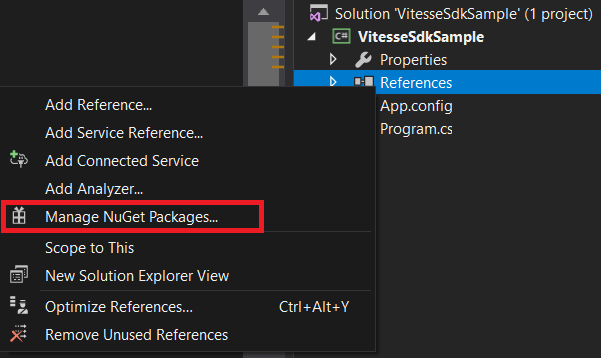
From Solution Explorer, right click on the project or on References and then click Manage NuGet Packages:
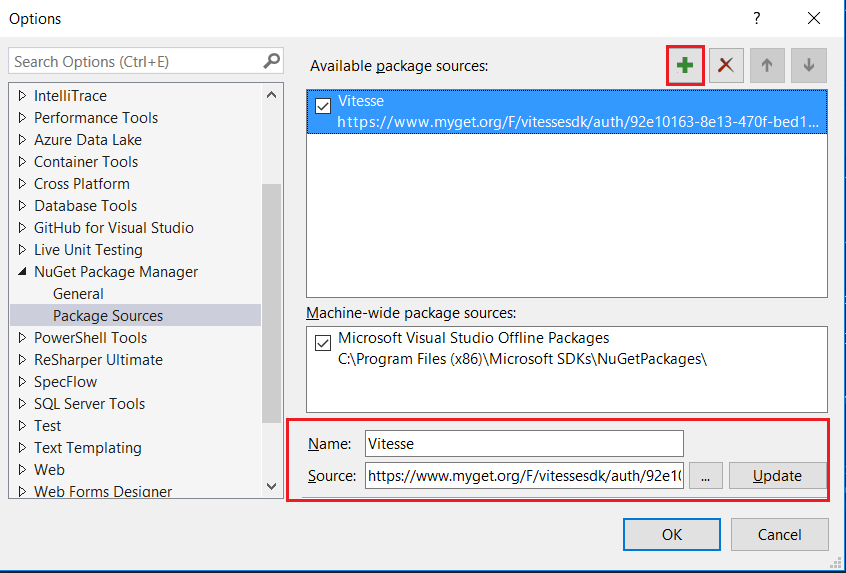
Click on the settings icon so that a new source can be configured:

Enter a name for the new package source and enter the correct URL for the feed in the Source field. Then click Update:
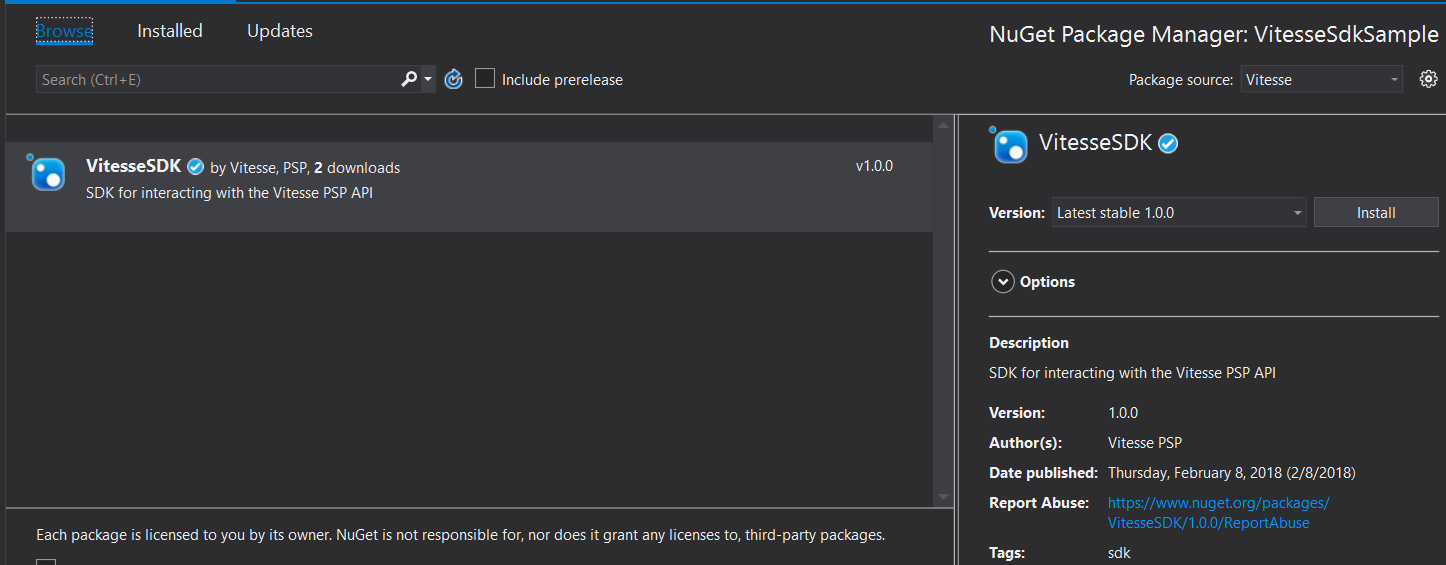
Now you will be able to select the new Package source and install the VitesseSDK package:
2. Obtain an API token
In order to call any of the services that are exposed by the SDK you'll need to provide an authorisation token. This is available by logging into the Merchant Administration System and if your account has sufficient rights you will be able to generate an API token.
Tokens have assigned Roles (which define which endpoints the token can be used against) and also has an expiry which is used to determine whether the token is still valid. Go to the How to create an API token section for more information.
3. Call the API
Each client requires a configuration, which takes the API token configured earlier and an environment enum value. Below is a simple example of how to interact with the account api client to get account balances.
Please ensure that the Environment value matches the system you intend to call and that this value is updated when you transition from testing to production.
var config = new Configuration("{api-token}", Environment.Staging);
IAccountApiClient accountClient = new AccountApiClient(config);

IEnumerable<AccountBalance> accountBalances =
  await accountClient.GetAccountBalancesAsync();
When using the different clients, some calls will return Response<T> where T is a model from the VitesseSDK.Models namespace, these are typically for calls that create, for example creating a forex rate group or sending a transaction.
The response contains whether the resource was successful, the resource (model) and the errors if call was unsuccessful. Below is an example of this using the forex api client.
var config = new Configuration("{api-token}", Environment.Staging);
IForexApiClient forexClient = new ForexApiClient(config);

Response<ForexInfo> response = await forexClient.CreateAsync(1);

bool successful = response.IsSuccessful;
var resource = response.Resource;
ErrorResponse = response.Errors;
Updated 5 months ago