
How to debug with Fiddler
It’s inevitable that at some point something doesn’t work quite as expected, and then it’s useful to know exactly what is going on under the covers with the request you are sending and the response that is received.
In order to do this we suggest using Fiddler – as it’s a simple tool that will record the request and response so that you can then view this to look for errors. In addition, if you are having problems calling the API and need to contact us, it’s more than likely that we’ll ask you for a copy of the request and response from Fiddler as we’d use that to debug the issue further.
So, let’s run Fiddler and see what happens.
On the left hand side you’ll see web requests – there may be several of these dependant on which applications you have open. On the right is an area where you can setup all manner of options, such as filtering requests and so on.
In Postman, click to send a request, and you should then see that show up in Fiddler on the left hand side…
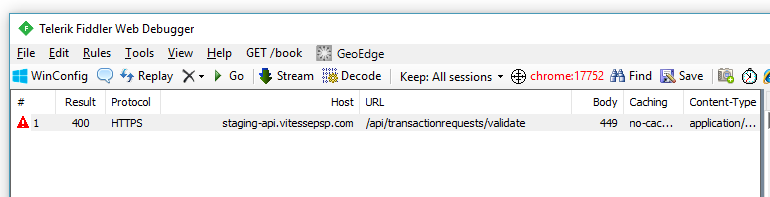
If you click on this request and then click the Inspectors tab on the right, you will then be able to drill-down and look at the request and response.
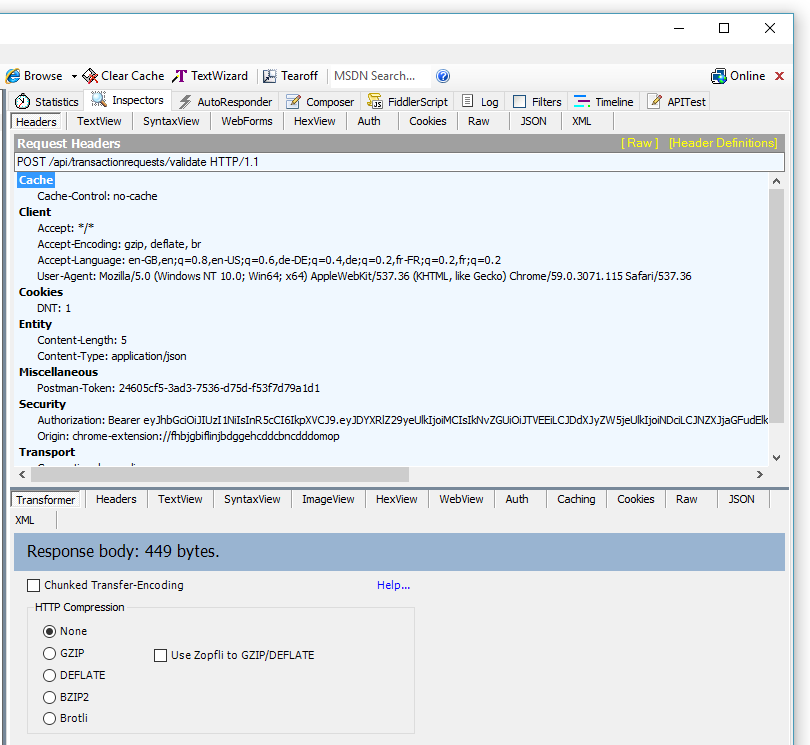
To see the actual request that was sent to the server click on the Raw tab at the top part of the page. That will show exactly what was sent to the API. You can also click on the Raw tab at the bottom of the page as that shows the response…
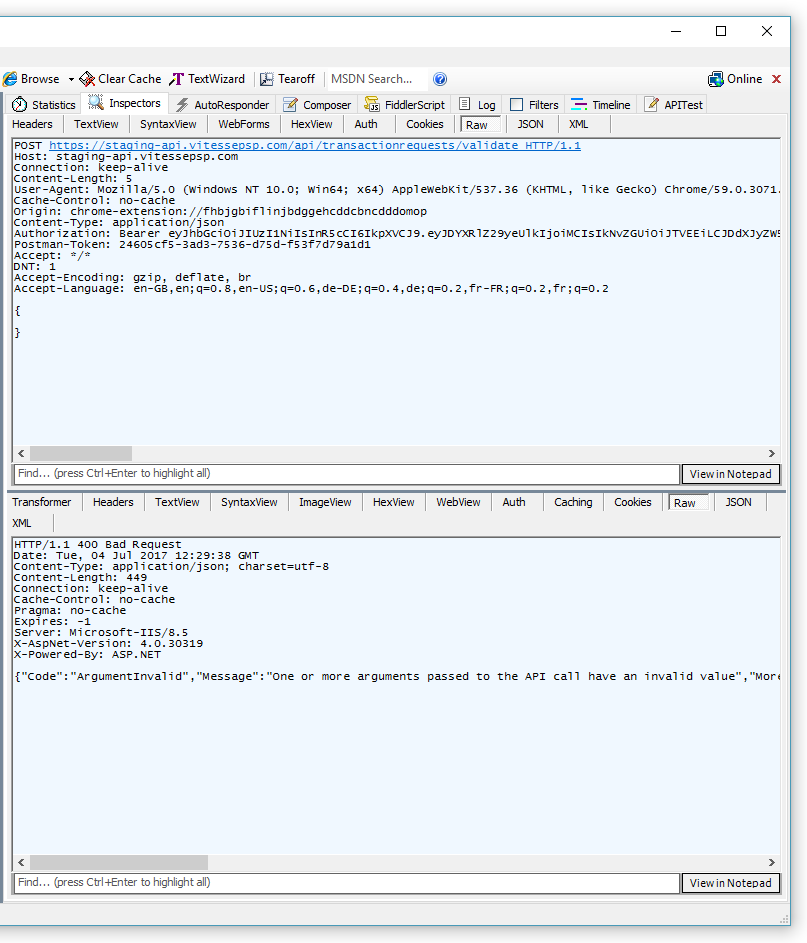
There’s a useful JSON view for both request and response that can be useful in tracking down issues.
You may see a warning mentioning that the response is encoded – clicking this will attempt to decode the response and may display a dialog box describing details of adding a certificate locally. This is necessary in order to decrypt HTTPS traffic and is out of the scope of this document, but the link to Fiddler that you get when you install it provides details of how to setup this certificate.
If you ever need to contact our support desk to debug an issue with calling the API it's useful to have used Fiddler to capture both the sent and the received traffic as that will really help us to track down your issue.
Updated 5 months ago