
Queued transactions overview
Legacy API. This topic describes our original API. If you are integrating with Vitesse, use Vitesse API instead.
A scheduled transaction goes through the same validity checks as an immediate transaction, but is then held internally in our system until a pre-determined release date. Scheduled transactions are useful for scenarios where you want a payment to reach a recipient on a specific date.
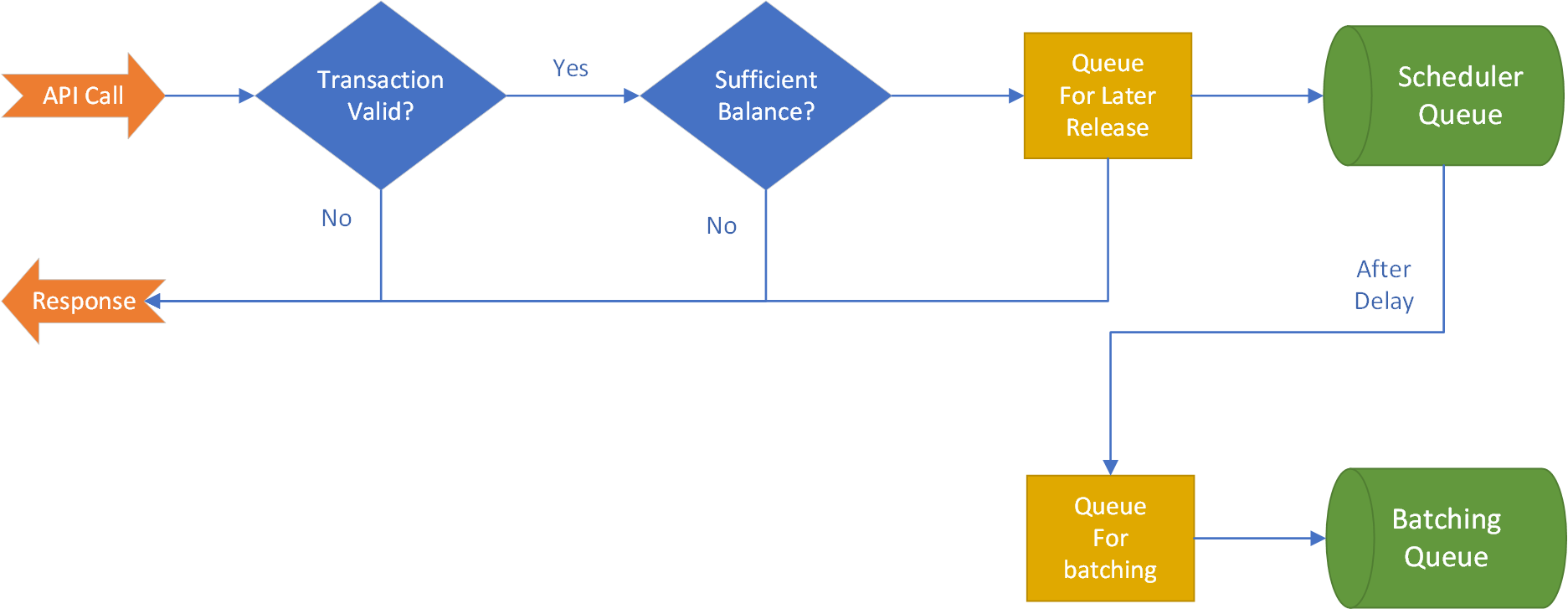
To schedule a transaction it is necessary to provide a requested date that you want the payment to arrive in the recipients bank account, and also an optional parameter that specifies how we should select the actual date. The requested date may fall on a weekend or another day where the recipient bank may not be working, so this allows you to pick the search direction - so we can either land the payment on the previous working day, or the next working day. See the API documentation in order to Create a scheduled transaction - this is the same endpoint as for immediate transactions, except you need to add the RequestedValueDate and the DateSearchMode parameters as explained below.
As an example, consider the following calendar for December 2018...
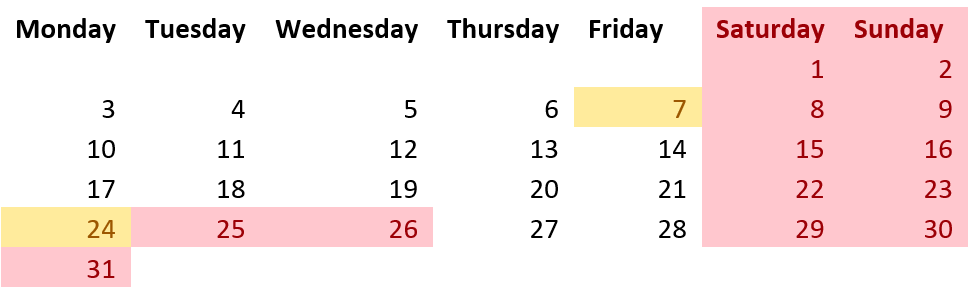
The red dates indicate weekends, the yellow indicate blackout dates for an example bank.
When making a scheduled transaction request, you specify the requested value date plus a direction parameter. The following shows two examples showing the input data and then also the value date that is computed by our software...
POST api/transactionRequests
{
  ...
  RequestedValueDate: "2018-12-09",
  DateSearchMode: "Forward"
}

Here the date chosen will be Monday, "2018-12-10".

POST api/transactionRequests
{
  ...
  RequestedValueDate: "2018-12-09",
  DateSearchMode: "Backward"
}

Here the date chosen will be Thursday "2018-12-06".
In the first example, the date is chosen by rolling forward until we find a suitable working day. The second example goes in the opposite direction and finds the closes earlier working day. This option (Backward) is the default, so you can omit the DateSearchMode parameter from the API call in this instance.
Scheduled transactions can also be cancelled by calling an additional API. The cancellation of a transaction can only be made up to a pre-defined cut-off date that is returned by the API call, and what this does is remove the transaction from the scheduler queue such that it's no longer batched for payment by our system.
The status model for a scheduled transaction is a little more complex than that for immediate transactions as there are additional states...
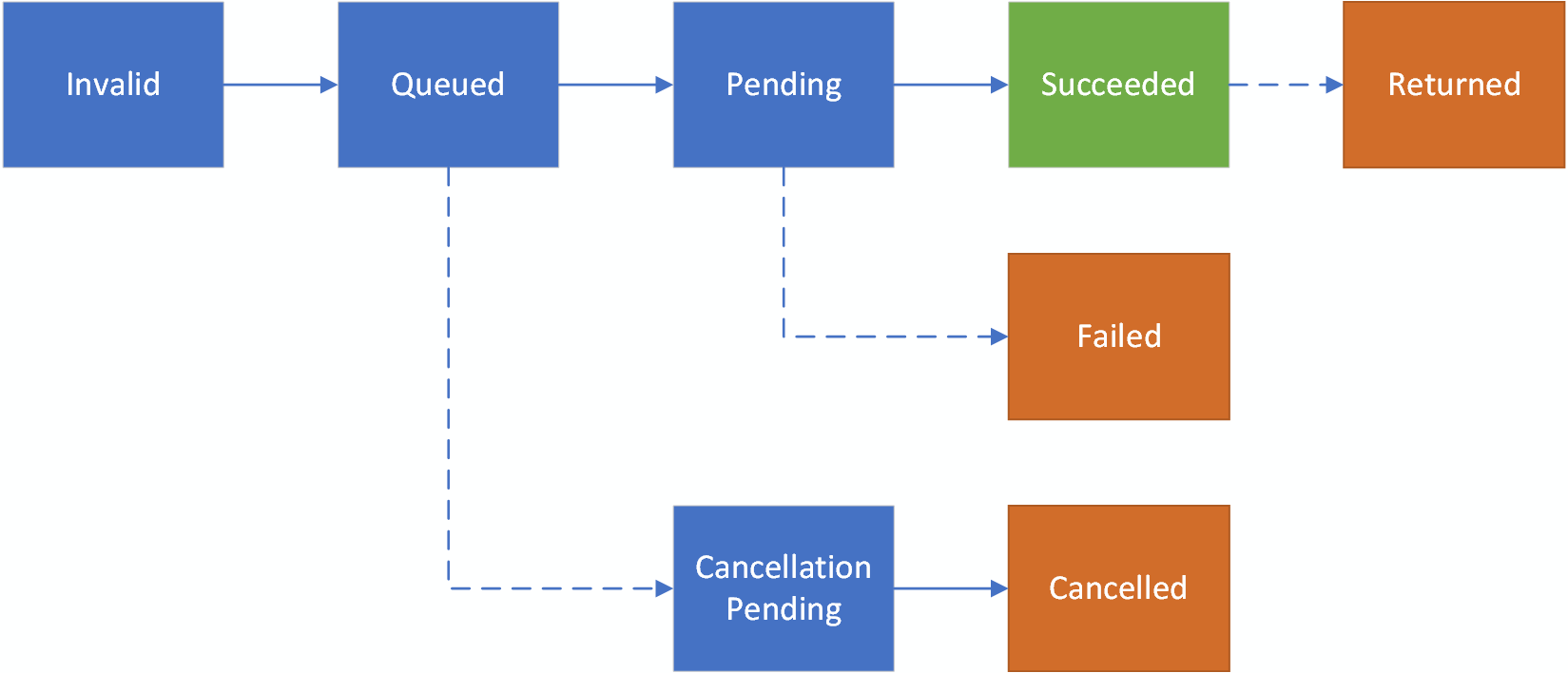
The additions here are to add the "Queued" state, which is associated with the transaction once it has been validated and up to the day it is due to be processed by our system. Once that date arrives, the TX will transition to the "Pending" state.
Transactions marked as "Queued" can be cancelled by making an API call. It is only possible to cancel transactions whilst they are in this state.
Dotted lines indicate possible, but infrequent, state changes.
Updated 4 months ago