
Manage recipients
Use Recipients to save payment details for individuals or businesses that you pay regularly. When making payments, you can use these records to populate recipient information automatically.
View recipients
When you create a recipient, they appear in the Recipients list.
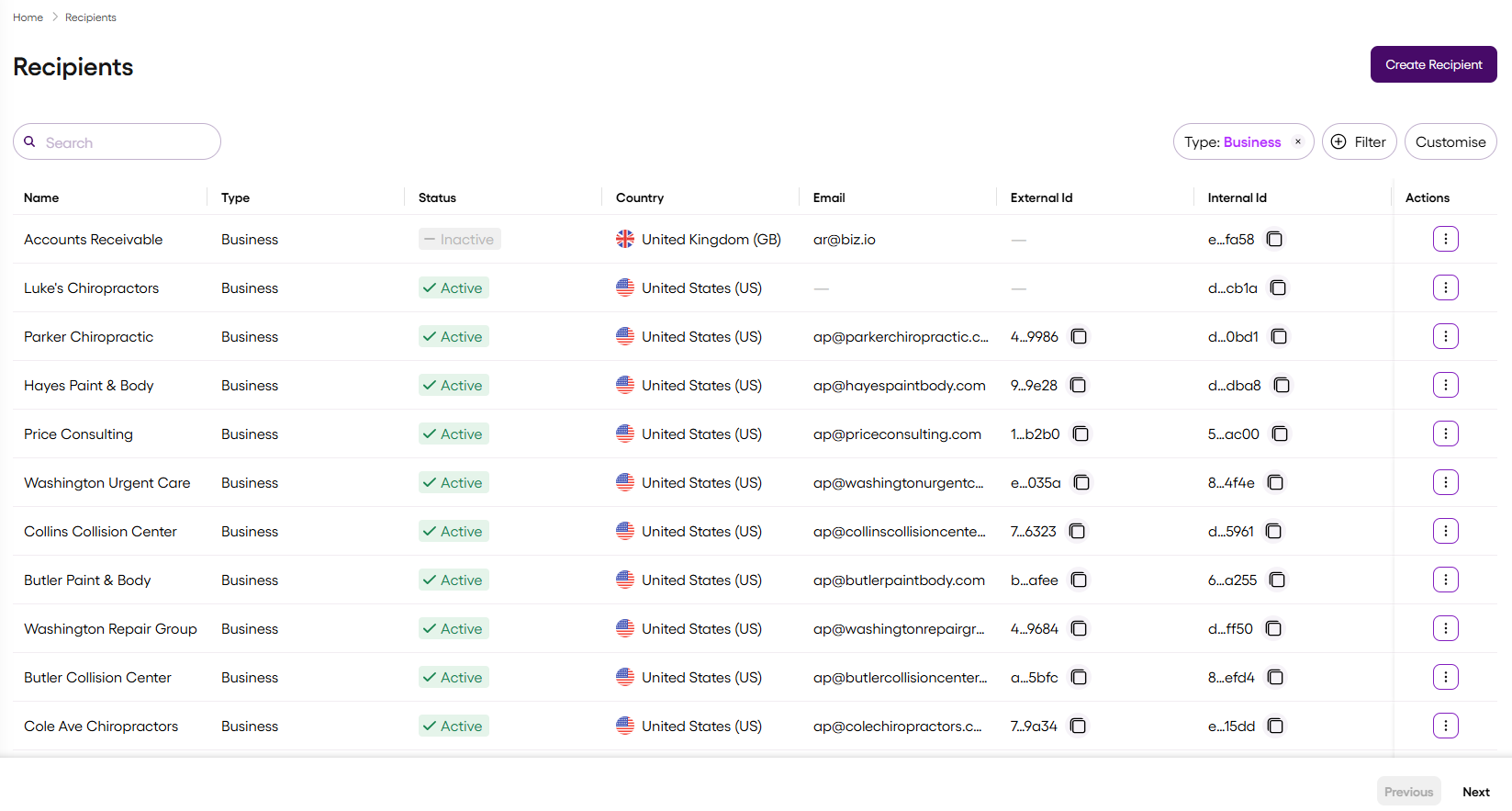
Use Filter and Customise above the Recipients list to sort the list and customise the column appearance and order.
| Column | Description |
|---|---|
| Name | The recipient's full name |
| Type | Either: Person – an individual Business – a registered company, charity, or sole trader |
| Status | The recipient status, one of: Active – the recipient is available and you can make payments to them Inactive – the recipient is temporarily deactivated and you cannot make payments to them unless they are reactivated Archived – the recipient is permanently deactivated and you cannot make payments to them |
| Country | The country where the recipient is based |
| The recipient's primary contact email address | |
| External Id | The unique identifier for the recipient that links the recipient to an existing record in your system |
| Internal Id | The unique identifier for the recipient assigned by Vitesse |
| Actions | Select to view and edit the recipient details, or view the recipient record history |
Updated 3 months ago