
Funding instructions
The Funding Instructions page in the Treasury section allows you to allocate bulk funding.
You can:
- Allocate a single payment across multiple accounts in the same currency
- Split funding within a single account to create multiple payment lines
- Add a payment reference for each allocation to support reconciliation
For more information, see Funding allocations.
To use this feature, you must first make a bank transfer to the relevant omnibus account. For more information, see Fund a single account.
Then, use Vitesse online to detail how to allocate the funds across your accounts. For more information, see Bulk fund accounts (Vitesse online).
Vitesse processes the instructions only after receiving funds with a matching payment reference. You’ll receive a confirmation email when processing is complete.
View funding instructions
The Funding instructions list displays all the funding instructions you have submitted.
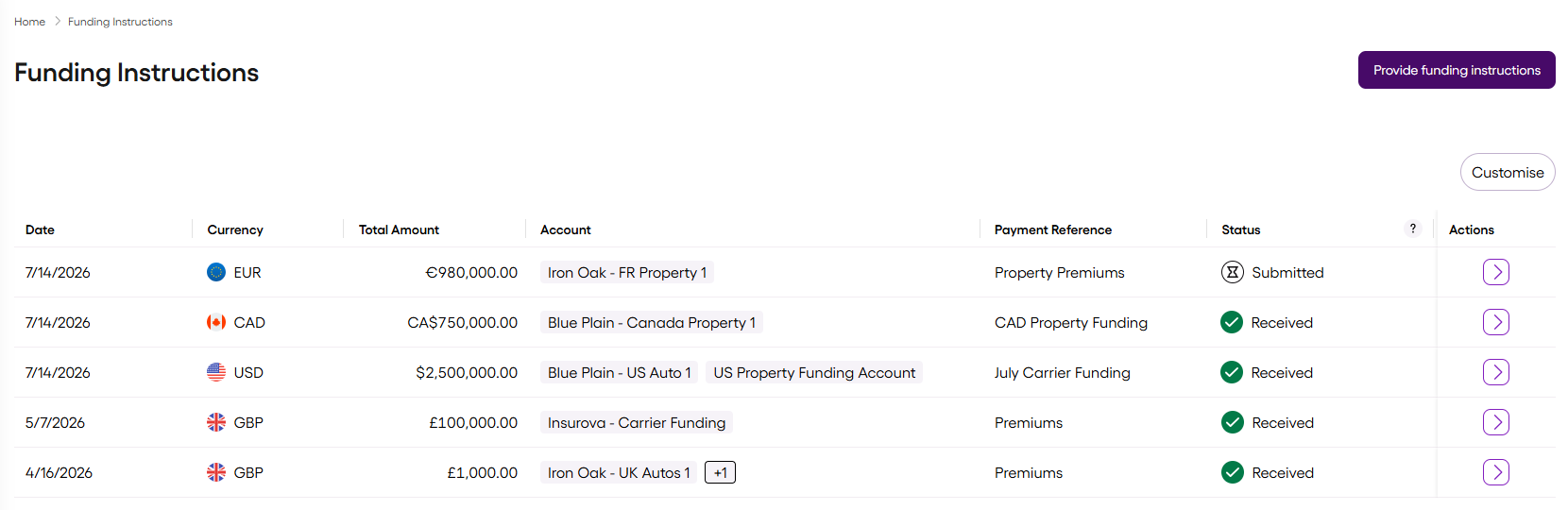
You can customise which columns are displayed, and their order.
To see the complete breakdown of the funding instruction, select Action > View alongside the relevant instruction.
| Column | Description |
|---|---|
| Date | Date the funding instruction was submitted |
| Currency | Currency held in the account (for example, GBP, USD) |
| Total Amount | The sum total of the funding instruction |
| Account | One or more accounts where you want to distribute the funding |
| Payment Reference | The overall payment reference used to identify incoming funds |
| Status | The current funding instruction status, either: Submitted – the funding instruction was sent Received – Vitesse is processing the funding instruction Not Received – there was a technical issue and the funding instruction was not processed. Contact Support. |
| Actions | Select to view the funding instruction details |
Updated about 2 months ago