
Manage identity clients
Create and manage identity clients in MAS to authenticate with the Vitesse API.
Identity clients are used to generate API access tokens. Each client is configured with a set of API roles that define what it can do.
For information about tokens, see Authentication: Transaction API.
Access requirements
You must have the Merchant Admin role or Manage Identity Clients role to manage identity clients.
Identity client management must be enabled for your account. If you cannot access this feature, contact your Vitesse relationship manager.
View identity clients
-
Go to Administration > Identity Clients
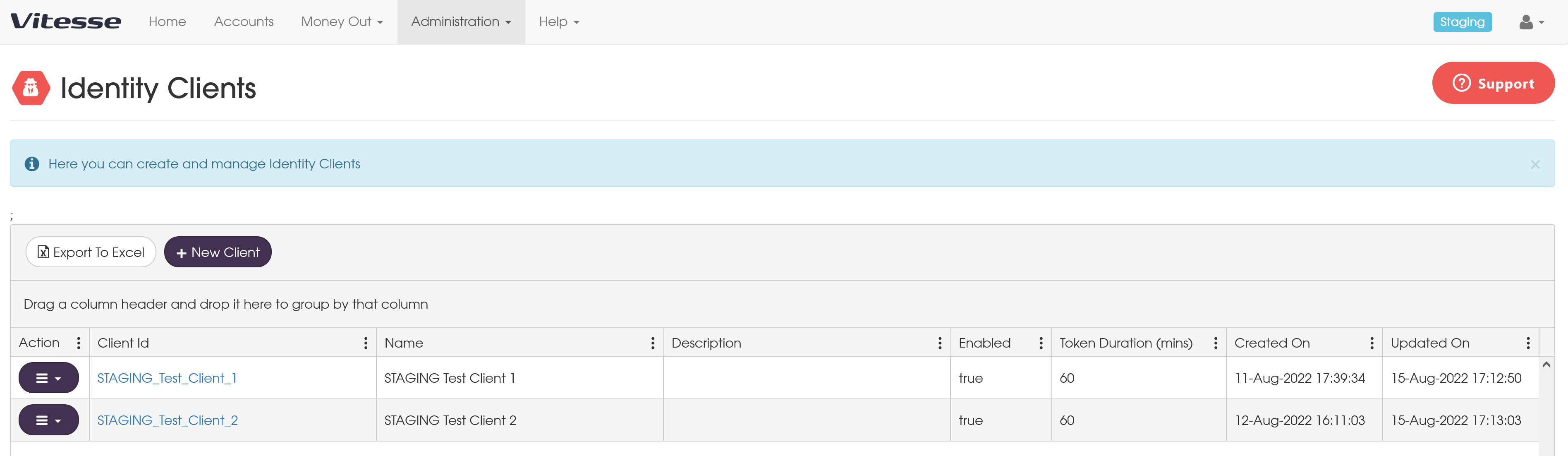
The list shows all configured clients. From here, you can:
- View client configuration
- Edit existing clients
- Create new clients
Create an identity client
-
Go to Administration > Identity Clients
-
Select New Client
-
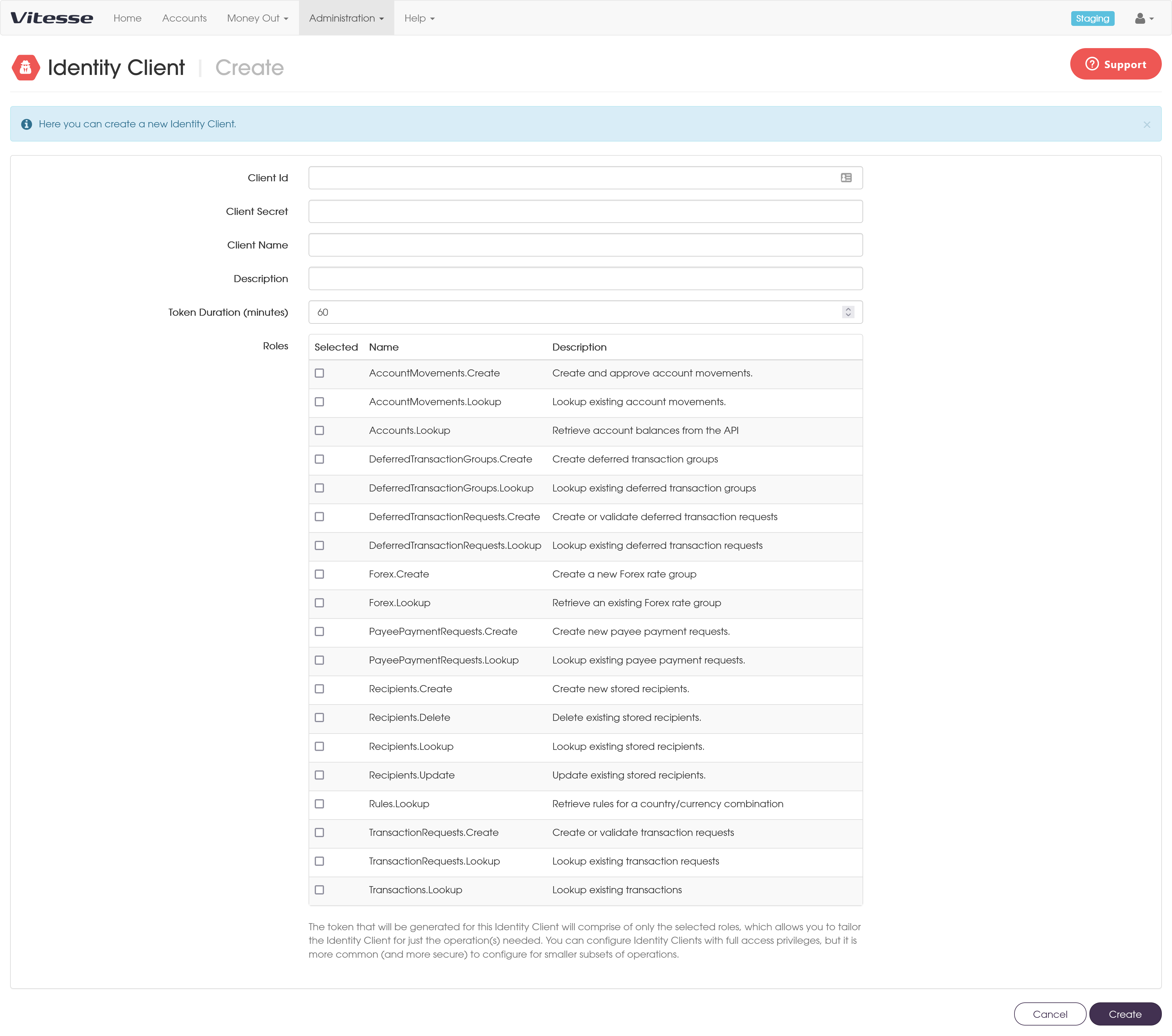
Configure the following fields:
Field Description Constraints Client ID Unique identifier used to request tokens 6–100 characters; must be unique across the Vitesse platform Client secret Secret used with the client ID to authenticate 6–100 characters Client name Optional label for your reference 3–100 characters Description Optional description Up to 1000 characters Token duration Token lifetime (minutes) 10–60 minutes Roles API roles assigned to the client At least one role must be selected The client secret is stored securely and cannot be viewed after creation.
-
Select Create to save the client.
The client is enabled immediately.
Edit an identity client
You can update the same fields as when creating a client.
You can also:
- Enable or disable the client
- Update assigned roles
-
Go to Administration > Identity Clients
-
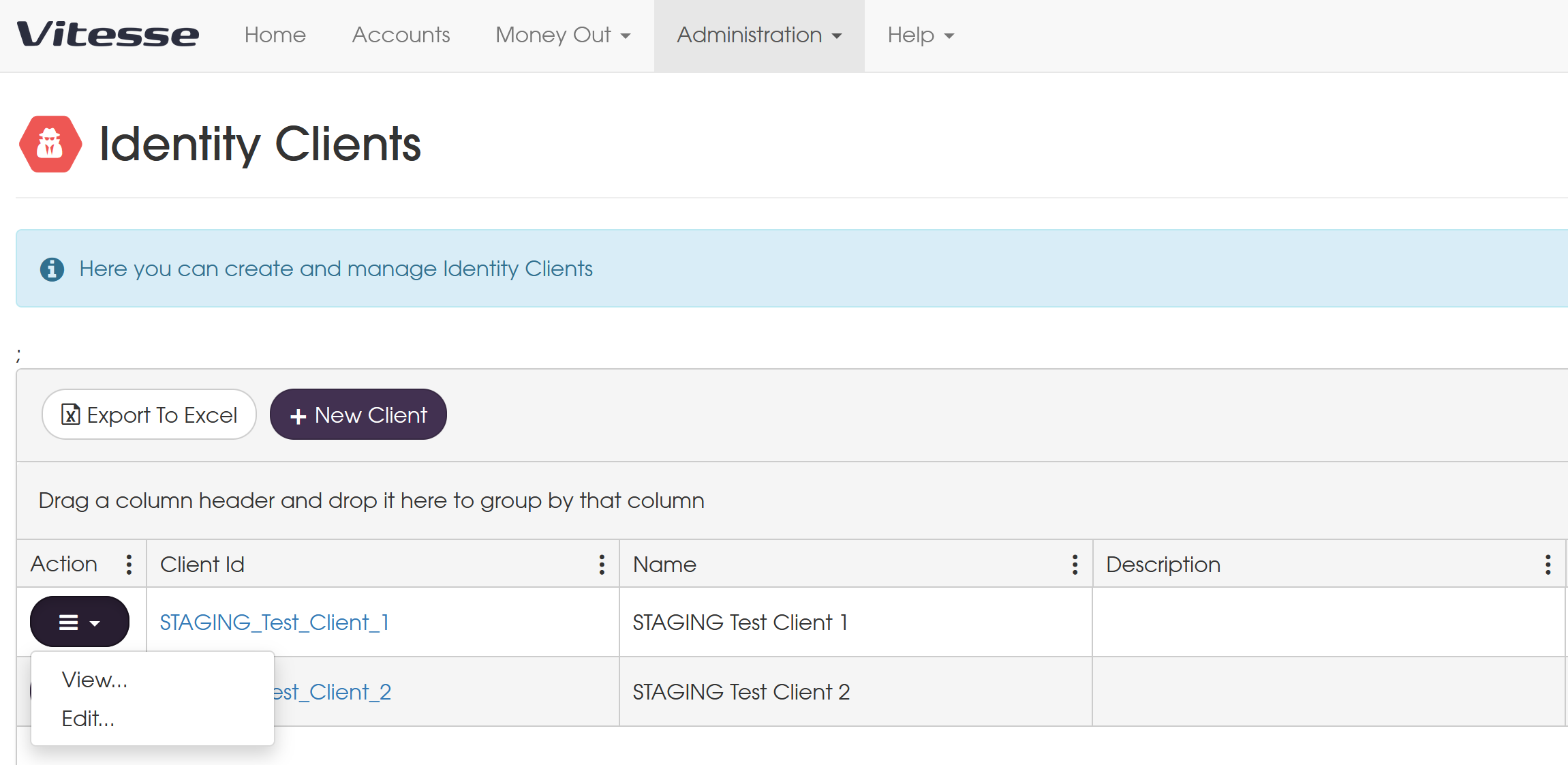
Open the action menu for the client
-
Select Edit
-
Make your changes.
-
Select save submit your changes.
Changes apply the next time a token is requested.
View client details
To view a client:
- Go to Administration > Identity Clients
- Select the client ID or choose View from the action menu
The details page shows:
- Client configuration
- Status (enabled or disabled)
- Creation and update timestamps
Request a token
Use the client ID and secret to request a token from the Vitesse identity endpoint.
Updated 4 months ago