
Notifications
The underlying system at Vitesse that processes payments consists of several different machines that are used in various ways to process requests. We have a number of web servers that deal with internal and external traffic, other webservers that deal with API calls from merchants, and we also use a bus-based architecture to offload numerous processes as needed to a background processing tier.
The system supports a number of notifications that are emitted from this background process tier which provide details of events that have happened in the system.
The two types of event that are of interest to merchants are those that happen when a transaction completes (either successfully or not), and when money is deposited into, or withdrawn from, an account. Each of these events can trigger a notification, or callback, to the merchant’s system to alert you to the fact that something has happened.
The callback mechanism is pluggable, which permits us to plug-in differing mechanisms to process these internal events. We can, for example, send you an email when a transaction completes, or make an HTTP based callback when one of your accounts is topped up. This mechanism has been designed to be extensible, so if the callback mechanism you would prefer is not available we could agree to add a custom notification type to the system – with the appropriate prioritisation etc.
The following sections show the callback types that are currently available, and provide you with implementation details too.
Transaction Notifications
Processing of a transaction in our system is asynchronous – when you call the API to send in a transaction we validate it at that point, provide a response to you, and then push the rest of the processing of that transaction onto a queue.
As the transaction is processed by our system there are a number of "in flight" notifications that can optionally be setup to provide you with information regarding the progress of the transaction. Similarly, once the transaction has completed we can also provide you with notification of this event.
In-Flight Events
During processing of a transaction we can provide status callbacks to you which indicate how the transaction is progressing through the system at various states in its lifecycle. These callbacks are currently only defined for deferred transactions and cover the following events in a transaction's lifecycle...
| Events | Description |
|---|---|
| GroupingInitiated | When a deferred transaction is added to the system it's "waiting" to be grouped. This callback provides details of the transaction. |
| GroupingCompleted | When a deferred transaction (or transactions) are grouped, this callback notifies you of the event. |
| LiquidityAwaited | Once grouped, we are then awaiting payment for the deferred transaction group. This event signifies that we are waiting for payment to arrive. |
| LiquidityProvided | Once payment has arrived for a deferred transaction group, a callback is made for each transaction in that group to indicate that liquidity has arrived. |
| LiquidityFailed | Deferred transactions have a discrete lifetime, and we require payment to be made by a specific point (detailed in the response of the grouping call). If payment has not reached us by this point we will provide a callback indicating that liquidity was not provided in time for the transaction. |
The format of the callback for these events is TransactionEvent.
Completion Event
At some point in time we’ll complete the transaction – and then we can send you a notification of this event as long as it’s been setup in our system.
There are three notification plug-ins available for the transaction completion event:
| Notification Type | Description |
|---|---|
| HTTP(S) Callback | Makes an HTTP/HTTPS POST request to your server when the transaction completes. |
| Merchant Email | Send an email to one or more recipients. |
| Recipient Email | Send an email to the recipient of the payment. |
Completion: HTTP/HTTPS Callbacks
This notification type will make a simple HTTP/HTTPS POST request to a server that you provide the address for.
You can setup this callback address within the Merchant Administration System - see the Notification item from the Administration menu. This page allows you to setup and also test callback notifications.
Full details of the data POSTed to your callback address can be found in the API TransactionCompletedNotification.
Completion: Merchant Email
Here we can send out a notification email to any email address when a transaction completes. This notification can optionally be tested against a currency value so you can set this up to notify you when a “high value” transaction has completed.
The amount and currency are user definable, so you could say “Alert me if any transaction is over $200”. An example email notification is shown below:
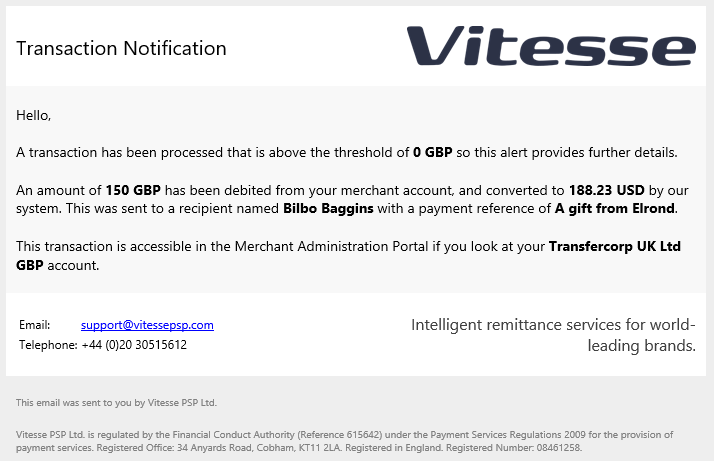
Merchant email example.
Contact UsThis type of notification is not currently configurable via Merchant Administration System. If you wish to use it please contact your account manager who will set it up for you.
Completion: Recipient Email
Here we can send an email notification to the recipient of a transaction request. If an email address is provided for the recipient when the transaction is created, and if this notification is enabled, then an email will be sent to the recipient to notify them that funds will arrive in their account soon.
An example notification is shown below:
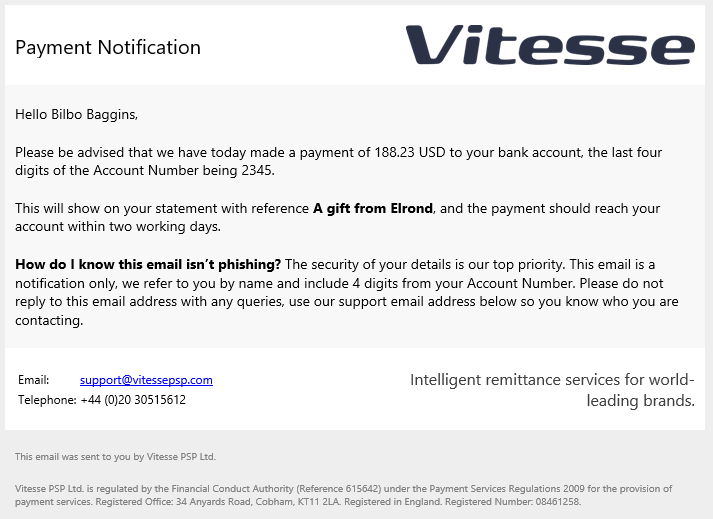
Recipient email example.
Contact UsThis type of notification is not currently configurable via Merchant Administration System. If you wish to use it please contact your account manager who will set it up for you.
Account Notifications
We also support notifications when money is credited to, or debited from any of your merchant accounts. This can be useful as a way to know when funds are available, or maybe as a notification that a large value transaction has been debited.
HTTP/HTTPS Callback
In a similar manner to the transaction notification callback, this uses an HTTP/HTTPS POST request to send you details of the debit or credit that happened in the system.
There are a number of transaction types defined by our system that you can individually setup callbacks for. Full details of these and the data POSTed to your callback address can be found in Account notifications.
Please NoteCallbacks are only issued if they have been setup in the system, and as our system also makes a number of internal transactions on accounts, use these callbacks for informational purposes only.
They should not be used as a way to keep an account balance in your system up to date with an account balance in ours.
Merchant Account Credit Email
This notification can be setup so that an email is sent out whenever any money is credited to one of your merchant accounts.
The only setting is the email address of the recipient. The email provides details of the amount, narrative and reference fields, and also specifies which account was credited.
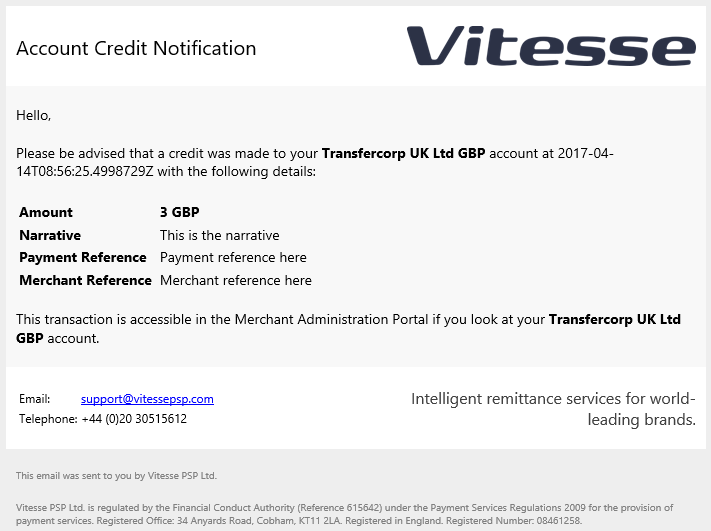
Merchant account credit email example.
Merchant Account Debit Email
Similar to the credit email, this notification can be setup so that an email is sent out whenever money is credited to one of your merchant accounts.
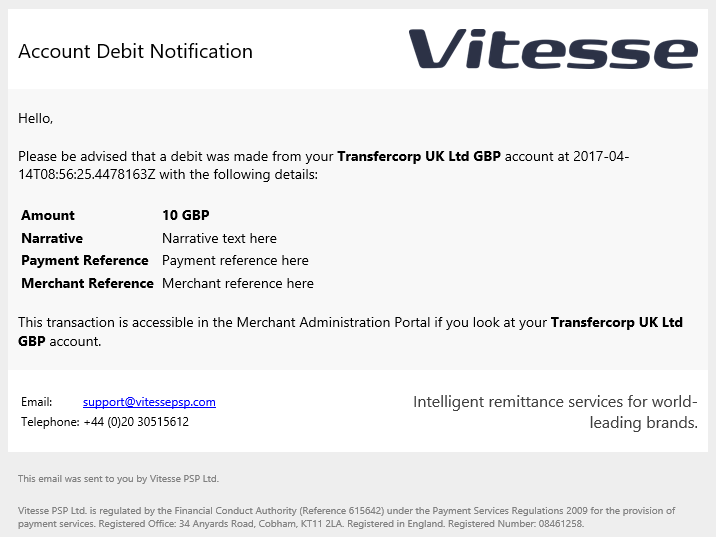
Merchant account debit email example.
Updated 4 months ago