
Insights: Portfolio Overview
The Portfolio Overview tab on the Insights dashboard provides a portfolio-level view of balances, payments, and account activity.
You can adjust the display currency, time range, and included currencies to customise the data shown across the dashboard.
At a glance
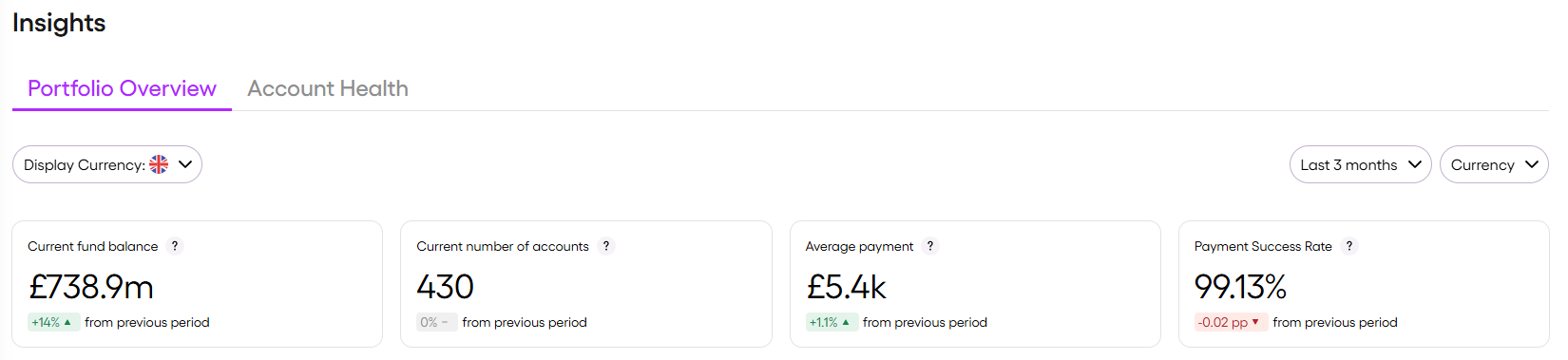
- View total fund balance, active accounts, average payment value, and payment success rate
- Compare each metric with the previous period using change indicators
For more information, see Metrics and Change indicators.
Balance and activity
- Track fund balances over time
- Analyse cash inflows and outflows
- Monitor currency exposure across your portfolio
- View fund distribution by currency and account type
For more information, see Fund balance trends chart and Fund allocation pie chart.
Payments
- Review payment value and volume over time
- Analyse payments by payment band
- Monitor payment activity across selected currencies
For more information, see Payment chart.
Top TPAs
- Identify which TPAs hold the largest share of delegated funds
- Compare fund balances, account distribution, and recent runway performance
For more information, see Top TPA chart.
Account runway
- Identify accounts with the shortest and longest projected runway
- Use runway as a directional signal for funding and liquidity planning
For more information, see Runway table.
Updated 4 months ago