
Cheques reporting
This page explains how to verify cheques status and generate reporting.
Status
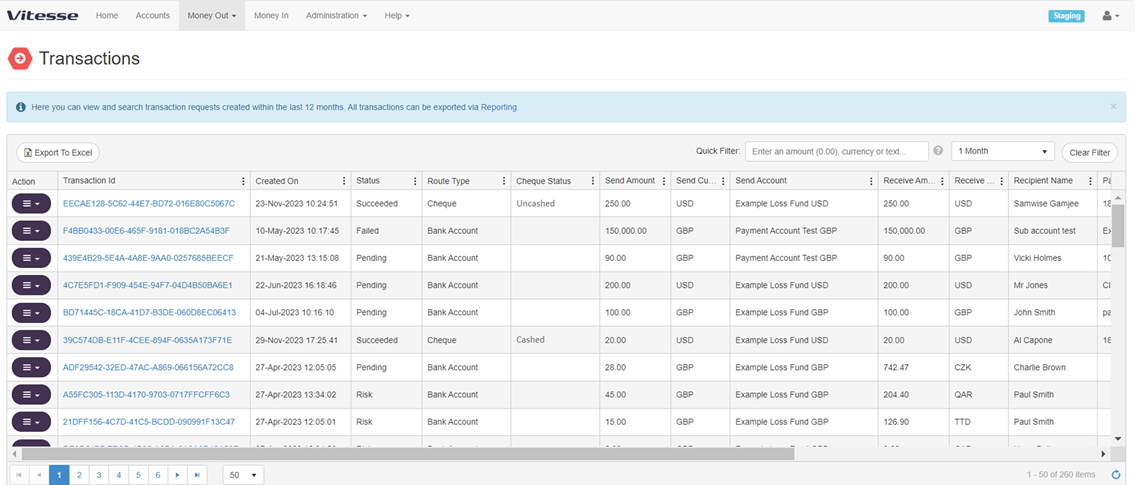
The Vitesse system allows for visibility of two statuses: the transaction status, and the cheque status.
In the 'transaction status' column, the value ‘succeeded’ means that the cheque has been successfully sent to the beneficiary, either via email for eChecks or via mail for Postal Cheques. Conversely, the transaction may also be marked as 'returned' under specific circumstances.
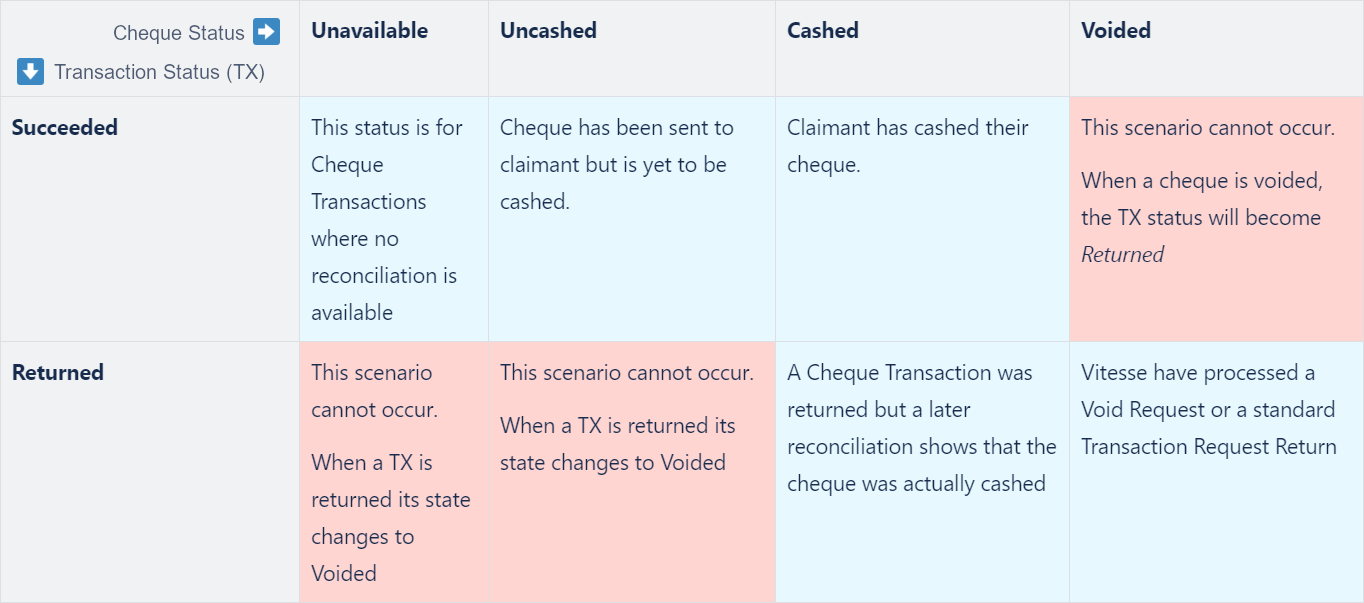
In a second column called ‘cheque status’, the latest status of the cheque will be visible. The following grid shows which statuses exist and their respective meaning. Please note that the cheque status is only available for transactions of route type ‘cheque’ (eChecks) in USD. For any other transaction, the column will be blank.
Reporting
Customers are able to self-serve their cheque reporting via the platform reporting functionality.
A dedicated report called ‘'Cheque Status Export' will outline all issued cheques their type ('Postal cheque', or 'Cheque' for eCheck), their status and the date when their status was last updated. This can be sorted by cheque status to get an overview of all uncashed, cashed and voided cheques.
Updated 5 months ago