
Fund a single account
To fund a single account, make a bank transfer from your bank account to Vitesse using the settlement details shown in MAS.
You can fund Funding accounts and Standard accounts, not Payment accounts. For more information, see Account types.
Locate the Settlement Details
-
Log in to MAS.
-
Select Accounts.
-
Select the relevant account.
-
On the Properties tab, locate Settlement Details.
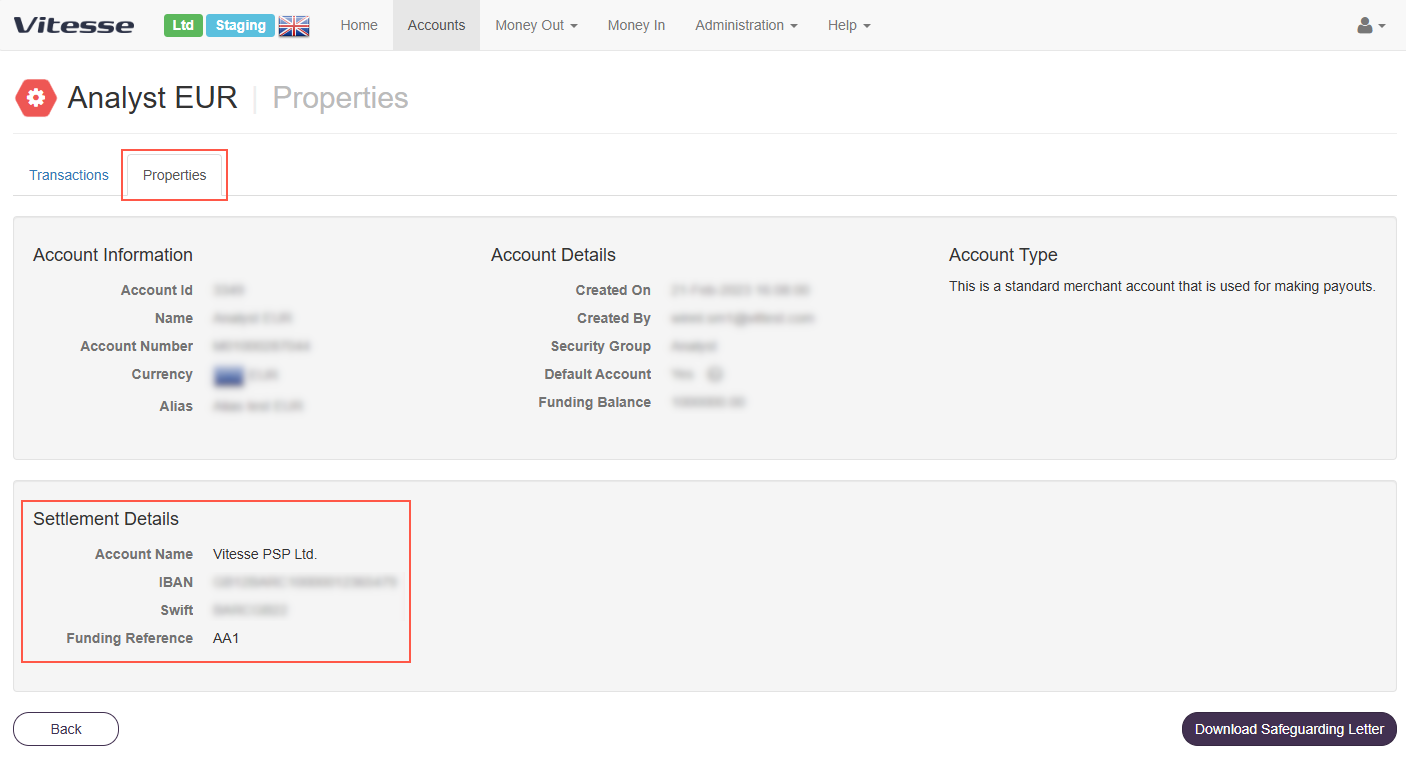
This section contains the information you need to make the bank transfer:
-
Account Name indicates whether you are sending funds to an omnibus account or directly to your account. If the account name is Vitesse PSP Ltd, you are using an omnibus account. Any other account name means you are funding your account directly.
- IBAN and Swift are the bank details you need to make the bank transfer. Note that they may also be a Sort code and Account number.
- Funding Reference, also called the UI Code, is the reference you must include at the beginning of the bank transfer's payment reference.
-
Instruct your bank transfer
If sending funds via SWIFT, select OUR as the fee type. This ensures Vitesse receives the full amount without deductions.
- Use the Settlement Details to instruct the bank transfer.
- Create the payment reference as follows:
- Begin with the Funding Reference.
- Add a space.
- Add the payment reference of your choice.
For example:AB9 BINDER XYZ123, whereAB9is the Funding Reference andBINDER XYZ123is your payment reference.Banks may truncate payment references. We recommend you limit the payment reference to 18 characters.
Use the correct payment reference format. For transfers to an omnibus account, Vitesse uses the Funding Reference to identify the destination account. If the Funding Reference is missing or incorrect, allocation may be delayed or prevented.
What happens next?
If you fund a direct account, the funds go straight to that account, subject to your bank's processing times.
If you're using an omnibus account, Vitesse allocates the funds to your account using the Funding Reference in your payment reference. No further action is needed on your part.
Missing funds
If you cannot see expected funds, contact Support.
Vitesse processes omnibus funding during UK business hours, and allocation can take up to one business day.
Updated 16 days ago