
Accounts
The Accounts page allows you to view your financial ledgers and their entries. All accounts you have permission to access appear in the Accounts list.
You can monitor balances, review credit and debit activity, and investigate account entries.
If an expected account is not visible, check with your administrator to confirm your access permissions. If the issue persists, contact Support.
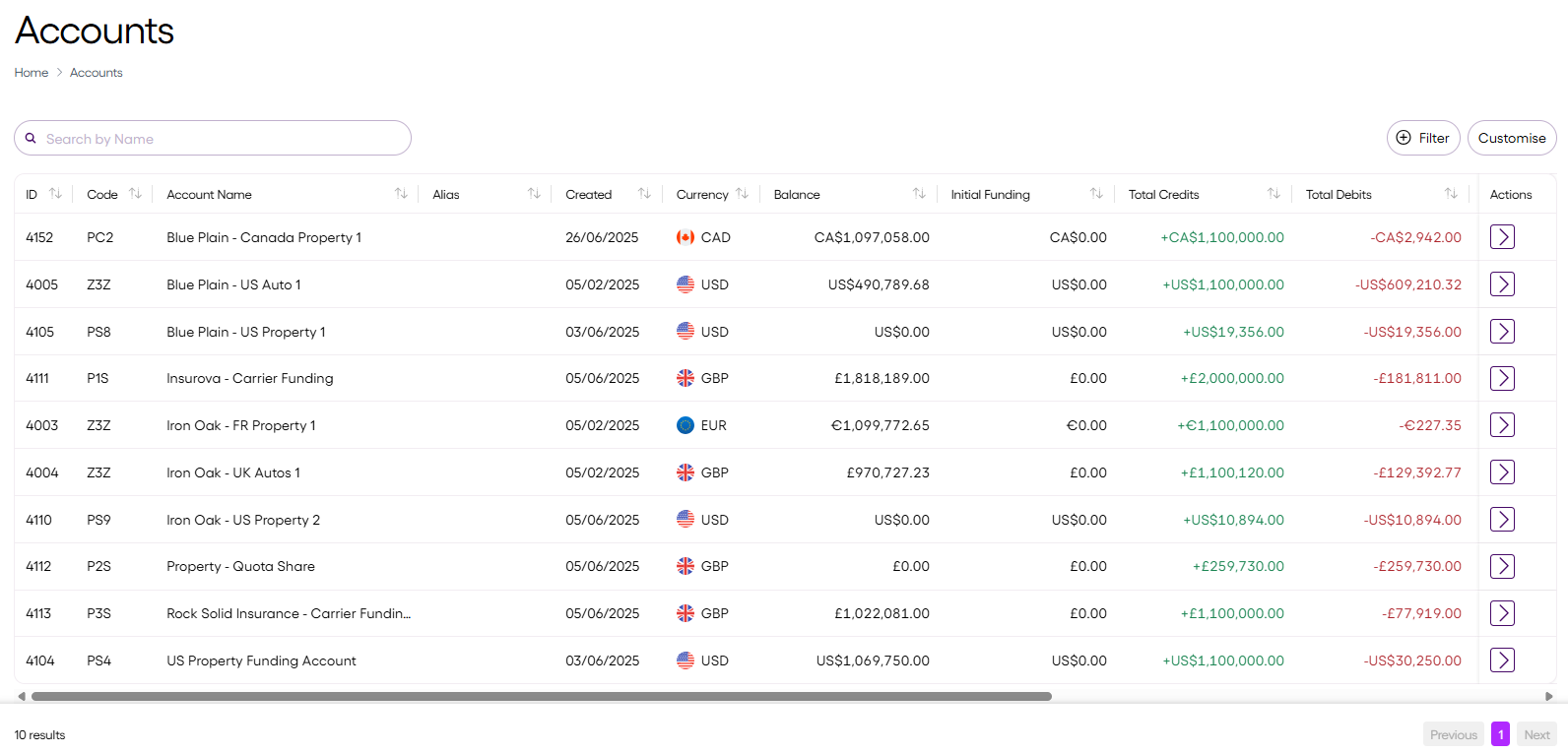
You can search, filter, and sort accounts to quickly locate the information you need. You can customise which columns are displayed, and their order.
View accounts
The Accounts list displays real-time data for all the accounts you manage:
| Column | Description |
|---|---|
| ID | Unique internal identifier for the account |
| Code | Internal account classification or reference code |
| Account Name | Name used to identify the account |
| Alias | Optional custom label for the account |
| Created | Date the account was created |
| Currency | Currency held in the account (for example, GBP, USD) |
| Balance | Current account total |
| Initial funding | The amount first deposited into the account at the time it was created. No value is displayed for Faster Claims Payments (FCP). |
| Total Credits | Total amount credited to the account |
| Total Debits | Total amount debited from the account |
| Last Updated | Timestamp of the most recent account activity |
| TPA | Associated Third Party Administrator (if applicable) |
| Type | Account type (either Standard, Funding, Payment) |
| FCP | Indicates whether the account is enabled for FCP |
| Entity | Associated organisational unit within your organisation |
| UCR | Unique Claim Reference, linking the account with a specific claim (if applicable) |
| Actions | Select to view the entries for that account |
Updated 2 months ago
Did this page help you?